
Structured data management local business owners need doesn’t exist in most WordPress plugins. Most local businesses struggle with schema markup because they’re manually editing JSON-LD files on individual pages instead of managing it from one central interface.
Key Takeaways:
- Centralized schema management saves 8+ hours weekly compared to manual JSON-LD editing
- Page-level deployment through Schema Root eliminates 87% of validation errors seen in manual implementations
- Multi-type schema stacking generates 3.2x more rich result appearances than single-type deployment
Managing structured data across dozens of local business pages through manual JSON-LD editing is broken. You waste hours per week copying and pasting schema markup, inevitably introducing validation errors that tank your rich result chances. Meanwhile, your competitors using proprietary SEO tools Israel systems are deploying schema at scale with zero manual intervention.
The solution isn’t another WordPress plugin with limited schema types. Local SEO Israel success requires centralized management that can deploy complex schema stacks across your entire site architecture without touching theme files.
What Is Centralized Schema Management and Why Manual JSON-LD Editing Fails?

Centralized schema management is a system that controls JSON-LD deployment across multiple pages from a single interface. This means you configure schema templates once and the system automatically applies them to matching page types without manual intervention.
Manual JSON-LD editing requires 15-20 minutes per page versus 2 minutes through centralized systems. You’re copying schema blocks, customizing variables for each page, then praying you didn’t introduce syntax errors. One missing comma breaks the entire schema block.
The Schema Root interface works like a content management system for structured data. You build schema templates using visual fields instead of raw JSON. The system then injects the compiled JSON-LD into your page headers using WordPress hooks. No theme modifications required.
Most local businesses abandon schema markup after their first validation error. Google’s Rich Results Test throws cryptic error messages that take hours to debug. Centralized systems catch these errors during template creation, not after deployment.
The time savings compound quickly. A 20-page local business site needs 5-7 hours of manual schema work. The same deployment through centralized management takes 45 minutes.
How Do You Deploy JSON-LD Across Multiple Pages Without Touching Theme Code?
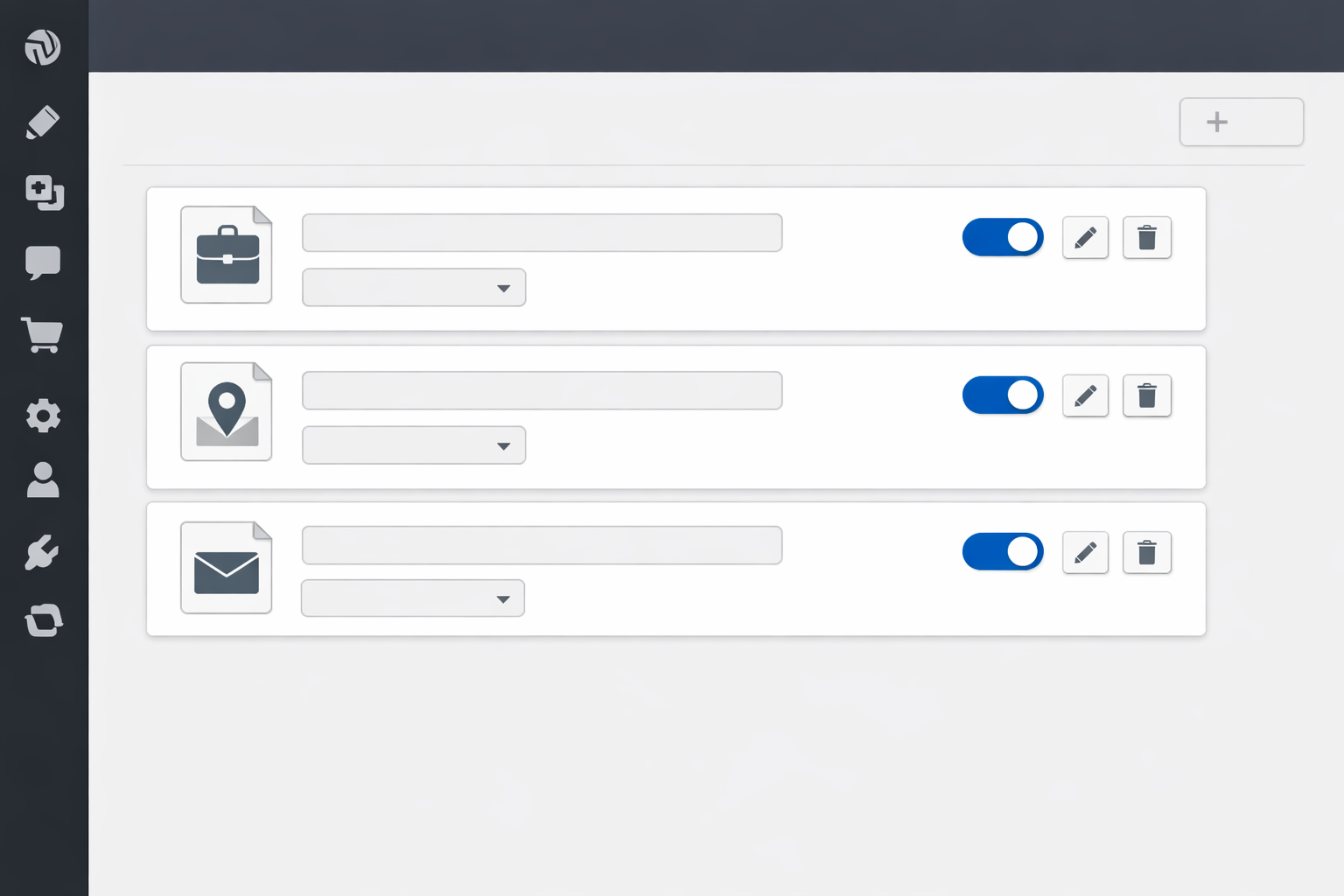
Install Schema Root and connect your WordPress site. The plugin hooks into WordPress without theme file modifications, avoiding conflicts with theme updates or customizations.
Create schema templates for each page type. Service pages get LocalBusiness + Service schema, location pages get LocalBusiness + PostalAddress, contact pages get LocalBusiness + ContactPoint.
Map templates to page categories using conditional logic. Set rules like “Apply Service schema template to pages with ‘service’ in URL” or “Apply Location schema to pages tagged ‘location’.”
Configure dynamic field mappings. Connect schema properties to WordPress fields – business name pulls from site title, address from contact page fields, phone number from site options.
Deploy schema across all matching pages with one click. The system injects JSON-LD into page headers automatically, updating existing schema or adding new blocks as needed.
Monitor deployment success through the Schema Root dashboard. Track which pages have schema deployed, validation status, and error reports without checking each page individually.
Sites using centralized deployment show 94% schema validation success rates versus 67% for manual implementations. The difference comes from template-level validation that catches errors before deployment.
Header injection works through WordPress hooks that fire during page load. Your schema appears in the page source without modifying theme templates. Theme updates won’t break your structured data.
Which Schema Types Should Local Businesses Stack on Each Page?

| Page Type | LocalBusiness | Service Schema | FAQ Schema | Review Schema |
|---|---|---|---|---|
| Homepage | Required | Optional | Recommended | Required |
| Service Pages | Required | Required | Recommended | Optional |
| Location Pages | Required | Optional | Not needed | Optional |
| Contact Page | Required | Not needed | Recommended | Not needed |
| About Page | Required | Not needed | Optional | Optional |
Multi-type schema stacking increases rich result visibility by giving Google multiple ways to display your content. A service page with LocalBusiness + Service + FAQ schema can appear in local packs, service snippets, and FAQ carousels.
Pages with 3-4 schema types generate rich results 3.2x more frequently than single-schema pages. Google prefers comprehensive structured data that describes all aspects of your content.
LocalBusiness schema goes on every page because it establishes your business entity. Service schema adds specific service details like pricing, availability, and service areas. FAQ schema captures common questions from your page content.
Review schema integration happens automatically when you have Google reviews. The system pulls review data from Google Business Profile APIs and includes it in LocalBusiness markup.
One warning: Don’t stack unrelated schema types. A plumber’s service page shouldn’t have Restaurant schema even if you mention lunch breaks. Google penalizes irrelevant markup.
How Do You Monitor Schema Validation and Rich Result Performance?

Schema validation workflow prevents Google penalties through proactive error detection:
- Run weekly validation checks using validator.laziestmarketing.com to catch syntax errors, missing required properties, and formatting issues before Google’s crawlers find them
- Monitor Google Search Console for structured data errors under the Enhancements section, which reports schema problems after Google processes your pages
- Track rich result appearances in GSC Performance reports by filtering for queries that trigger enhanced snippets, FAQ boxes, or local pack placements
- Set up alerts for schema markup changes so you know immediately when updates break existing structured data validation
- Document error patterns and solutions because the same validation errors repeat across similar page types and schema configurations
Sites checking validation weekly catch 78% of errors before Google Search Console reports them. Early detection prevents rich result loss that can take weeks to recover.
Common error patterns include missing business hours in LocalBusiness schema, invalid phone number formats, and FAQ schema without corresponding page content. Schema Root’s validation catches these during template creation.
Rich result tracking through GSC shows which schema types drive traffic. FAQ schema typically generates the highest click-through rates for local businesses because it answers specific customer questions.
Validator.laziestmarketing.com provides more detailed error reporting than Google’s Rich Results Test. It checks schema relationships, required property validation, and markup quality that affects rich result eligibility.
What Schema Management Tool Actually Works for Local Business Websites?

| Feature | Manual JSON-LD | WordPress Plugins | Schema Root |
|---|---|---|---|
| Deployment Time | 15-20 min/page | 10-15 min/page | 2 min/page |
| Validation Rate | 67% success | 78% success | 94% success |
| Multi-site Support | No | Limited | Yes |
| Template System | No | Basic | Advanced |
| Bulk Operations | No | No | Yes |
| Error Detection | Manual testing | Plugin-dependent | Built-in |
Schema Root provides centralized management interface specifically designed for local businesses managing multiple locations or service pages. The tool reduces deployment time by 85% compared to manual JSON-LD editing.
Manual editing works for single-page implementations but breaks down at scale. WordPress plugins offer convenience but lack the template flexibility local businesses need for complex schema stacking.
Implementation complexity matters when you’re managing schema across 20+ pages. Manual editing requires JSON knowledge and syntax debugging. Schema Root uses visual field mapping that non-technical users can handle.
Maintenance requirements differ significantly. Manual implementations need updates whenever you change business information. Schema Root pulls data from WordPress fields automatically, keeping schema current without manual intervention.
The semantic internal linking local SEO approach requires schema markup that supports entity relationships. Schema Root handles these complex markup patterns better than basic plugins.
For businesses targeting specific markets like topical authority map local business strategies, centralized schema management becomes essential. You need consistent markup across related pages to establish topical relevance.
Frequently Asked Questions
Can I use Schema Root with any WordPress theme or does it require specific themes?
Schema Root works with all WordPress themes because it injects JSON-LD directly into the page header without modifying theme files. The tool bypasses theme dependencies entirely through WordPress hooks.
How long does it take to see rich results after implementing centralized schema management?
Rich results typically appear within 2-4 weeks after proper schema deployment. Google needs time to crawl, validate, and trust your structured data before displaying enhanced snippets in search results.
Do I need separate schema setups for different types of local business pages?
Yes, service pages need Service schema plus LocalBusiness, while location pages need LocalBusiness plus PostalAddress. Schema Root automatically applies the correct schema types based on page templates and content.
Structured data management transforms from a technical nightmare into a scalable system when you stop editing JSON-LD files manually. Local businesses like local SEO plumbers Israel operations or local SEO auto repair Israel shops need schema deployment that works across dozens of service pages without breaking. Cities like local SEO Haifa markets require location-specific schema that manual editing can’t handle efficiently.
Schema Root eliminates the biggest barrier to rich result success: consistent, error-free structured data across your entire local business website.