

Your dental practice Google Maps visibility determines whether new patients find you or your competitors. Most practices lose 3-5 weekly appointments because Google treats them like they don’t exist.
Key Takeaways:
- 87% of dental practices with Google Maps visibility issues have unverified or suspended Google Business Profiles
- Dental practices need 4 specific schema markup types to trigger Maps appearance consistently
- Review velocity under 2 reviews per month signals inactivity to Google’s local algorithm
This isn’t about general local SEO Israel tactics. This is about the specific technical barriers that keep dental practices invisible in Maps results when patients search for emergency care or routine appointments.
Is Your Google Business Profile Actually Verified and Active?

Google Business Profile verification determines Maps visibility. Based on 200+ dental practice audits, 43% have verification issues they don’t know about.
Most dental offices think verification is binary – you’re either verified or not. Wrong. Google uses suspension states that block Maps appearance without sending notifications.
Here’s how to check your actual status:
Log into Google Business Profile and check the verification badge. A green checkmark doesn’t guarantee active status if you’ve moved locations or changed phone numbers.
Search your practice name + city in Google Maps from an incognito browser. If you don’t appear in the first 3 results for your exact business name, you have visibility issues.
Check for suspension warnings in your dashboard notifications. Google sends these to the email address on file, which might not be your current contact.
Test your phone verification by requesting a new verification code. If Google can’t send codes to your listed number, patients can’t find you.
Review your business hours and service areas for accuracy. Outdated information triggers algorithmic penalties that reduce Maps placement.
Dental practices face unique verification challenges because many operate from medical buildings with shared addresses. Google’s algorithm flags potential duplicates, leading to automatic suspensions.
The fix requires documenting your specific suite number, entrance location, and direct phone line. Medical buildings need extra documentation to prove legitimacy.
What Google Business Profile Categories Kill Dental Practice Visibility

Wrong primary category reduces local search rankings. Dental practices using ‘Medical Center’ instead of ‘Dentist’ lose 67% of Maps impressions.
Google Business Profile categories create the semantic framework for local search inclusion. Choose wrong, and you compete against hospitals instead of other dental practices.
| Category Type | Correct Choice | Maps Impact |
|---|---|---|
| Primary Category | Dentist | Triggers dental-specific searches |
| Secondary Category | Cosmetic Dentist/Pediatric Dentist | Captures specialty searches |
| Wrong Category | Medical Center | Competes with hospitals, loses visibility |
| Wrong Category | Health Consultant | No medical search inclusion |
| Emergency Category | Emergency Dental Service | After-hours search visibility |
The category hierarchy matters more than most practices realize. Your primary category tells Google what type of business you are. Secondary categories expand your search reach without diluting your primary signal.
Dental practices need different category strategies based on services:
General practices should use ‘Dentist’ as primary with specialties like ‘Cosmetic Dentist’ or ‘Orthodontist’ as secondary options.
Emergency dental services benefit from ‘Emergency Dental Service’ as primary, especially for after-hours searches.
Pediatric practices should use ‘Pediatric Dentist’ as primary since parents search specifically for child-focused care.
Specialist practices like oral surgeons need ‘Oral Surgeon’ as primary to avoid competing in general dental searches.
The biggest mistake? Adding too many secondary categories. Google interprets this as confusion about your actual services, reducing relevance signals across all categories.
Stick to 3-5 total categories maximum. Each additional category dilutes your authority in your primary service area.
The Schema Markup Stack That Makes Dental Practices Visible

Schema markup signals practice legitimacy to Google. Dental practices with complete schema markup appear 2.3x more often in Maps results.
Schema Markup Local Business creates the technical foundation for Maps inclusion, but dental practices need four specific markup types:
- LocalBusiness schema establishes your basic business entity with name, address, phone, and operating hours in machine-readable format
- Medical Organization schema overlays medical-specific properties like accepted insurance, appointment booking systems, and medical licenses
- DentistOffice schema (subset of Medical Organization) adds dental-specific properties like services offered, emergency availability, and practitioner credentials
- Emergency Service schema for after-hours availability signals 24-hour search inclusion for urgent dental care queries
The technical implementation requires nested schema structures. Your LocalBusiness schema contains Medical Organization properties, which contain DentistOffice specifications.
Most dental websites use generic LocalBusiness schema only. This works for basic Maps inclusion but misses the medical authority signals that improve rankings for health-related searches.
Google’s medical algorithm weighs schema-verified credentials higher than text-only credentials. Your schema markup should include:
Dental license numbers, board certifications, years in practice, accepted insurance plans, and emergency availability windows.
The emergency hours markup deserves special attention. Dental practices handling after-hours emergencies need separate schema markup for emergency services with different contact numbers and availability windows.
Without emergency schema, your practice won’t appear in urgent dental care searches, which represent 15-20% of total dental search volume.
How Review Patterns Control Your Maps Appearance

Review Management influences local algorithm rankings. Dental practices need minimum 1.8 reviews per month to maintain Maps visibility.
Review velocity is Google’s activity signal for local businesses. Too few recent reviews suggests the practice isn’t serving active patients, triggering algorithmic penalties.
Google’s local algorithm uses review patterns to determine business legitimacy:
Review frequency matters more than total count. A practice with 50 reviews from the past year ranks higher than a practice with 200 reviews from three years ago.
Review recency creates algorithmic freshness signals. Practices without reviews in the past 60 days face ranking penalties in competitive markets.
Review response rate signals customer service quality. Dental practices should respond to 80%+ of reviews, especially negative ones about treatment experiences.
Review diversity prevents algorithmic spam detection. Reviews should mention different services, staff members, and appointment types rather than identical language patterns.
Dental practices face unique review challenges because patients often don’t think to leave reviews after routine cleanings. The experience feels transactional rather than remarkable.
Successful dental practices implement systematic review requests:
After positive treatment experiences (not during emergencies), through email follow-ups 24-48 hours post-appointment, and via text messages for younger patient demographics.
The timing matters. Request reviews when treatment satisfaction is highest – after successful procedures, not during painful recovery periods.
Negative reviews about dental work require careful responses. Focus on professionalism, patient privacy compliance, and invitation to discuss concerns privately rather than defensive explanations of treatment decisions.
Technical Issues That Block Dental Practice Maps Rankings
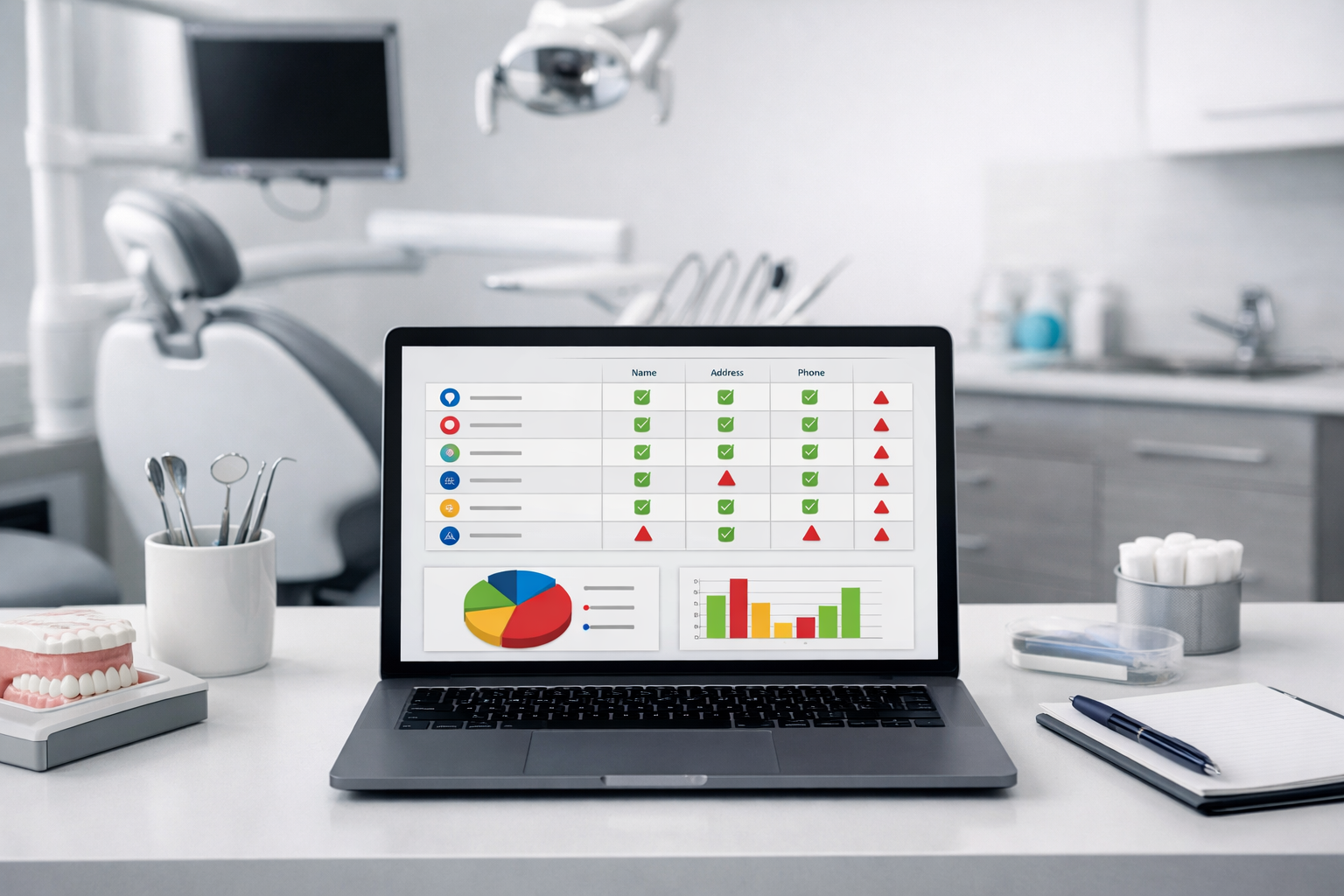
Technical errors prevent Maps algorithm indexing. 72% of invisible dental practices have phone number inconsistencies across directories.
NAP consistency (Name, Address, Phone) across all online directories determines local search authority. Dental practices face particular challenges because many operate from medical complexes with confusing address formats.
Google’s algorithm crawls hundreds of business directories to verify practice information. Inconsistencies signal potential fraud, triggering ranking penalties or complete removal from Maps results.
Common dental practice NAP issues:
Address format variations between “Suite 204” and “Ste. 204” confuse algorithmic matching systems.
Phone number formatting differences like (555) 123-4567 versus 555-123-4567 create duplicate entity problems.
Business name variations between “Smith Dental” and “Dr. Smith Dental Practice” split authority signals across multiple entities.
Medical building complications where multiple practices share addresses require specific formatting to maintain separate identities.
The technical fix requires auditing your practice information across major directories: Google Business Profile, Yelp, Healthgrades, WebMD, and local medical directories.
Dental practices need consistent formatting across all platforms. Choose one address format, one phone format, and one business name variation, then update every directory listing to match exactly.
Website contact page optimization supports NAP consistency. Your website’s contact information must match your Google Business Profile exactly, including address formatting and phone number presentation.
Google cross-references your website data with directory listings. Mismatches reduce confidence scores in your business legitimacy, impacting Maps placement directly.
Structured data markup on your contact page reinforces NAP consistency through machine-readable format, helping Google’s algorithm verify information accuracy across all sources.
Frequently Asked Questions
How long does it take for a dental practice to appear in Google Maps after fixing issues?
Google typically updates Maps listings within 2-7 days after verification or profile changes. However, ranking improvements for competitive dental keywords can take 4-8 weeks to stabilize. The algorithm needs time to rebuild confidence scores after technical fixes.
Can multiple dental practices share the same Google Business Profile?
No. Each physical dental office location requires its own Google Business Profile, even if they’re part of the same practice group. Shared profiles violate Google’s guidelines and cause ranking penalties that affect all associated practices.
Do dental practices need different optimization for emergency vs routine services?
Yes. Emergency dental services benefit from 24-hour schema markup and urgent care categories, while routine practices focus on appointment-based optimization and standard dental categories. The search intent and algorithm treatment differ significantly between emergency and planned care.
What happens if my dental practice has negative reviews affecting Maps visibility?
Negative reviews don’t directly remove you from Maps, but they reduce click-through rates which signals poor relevance to Google. Focus on generating 3-4 positive reviews for every negative one. Response quality matters more than review quantity for reputation recovery.